Photography Club Meetup
Join fellow campus photographers for a creative meetup. Bring your camera or phone. Open to all departments.
Friday · 4:00 PMCentral Lawn
The updates you need. The things you’re looking for. The conversations that make campus, campus. Meet CampuSova.
Campus Board · Marketplace · Confessions · Chat
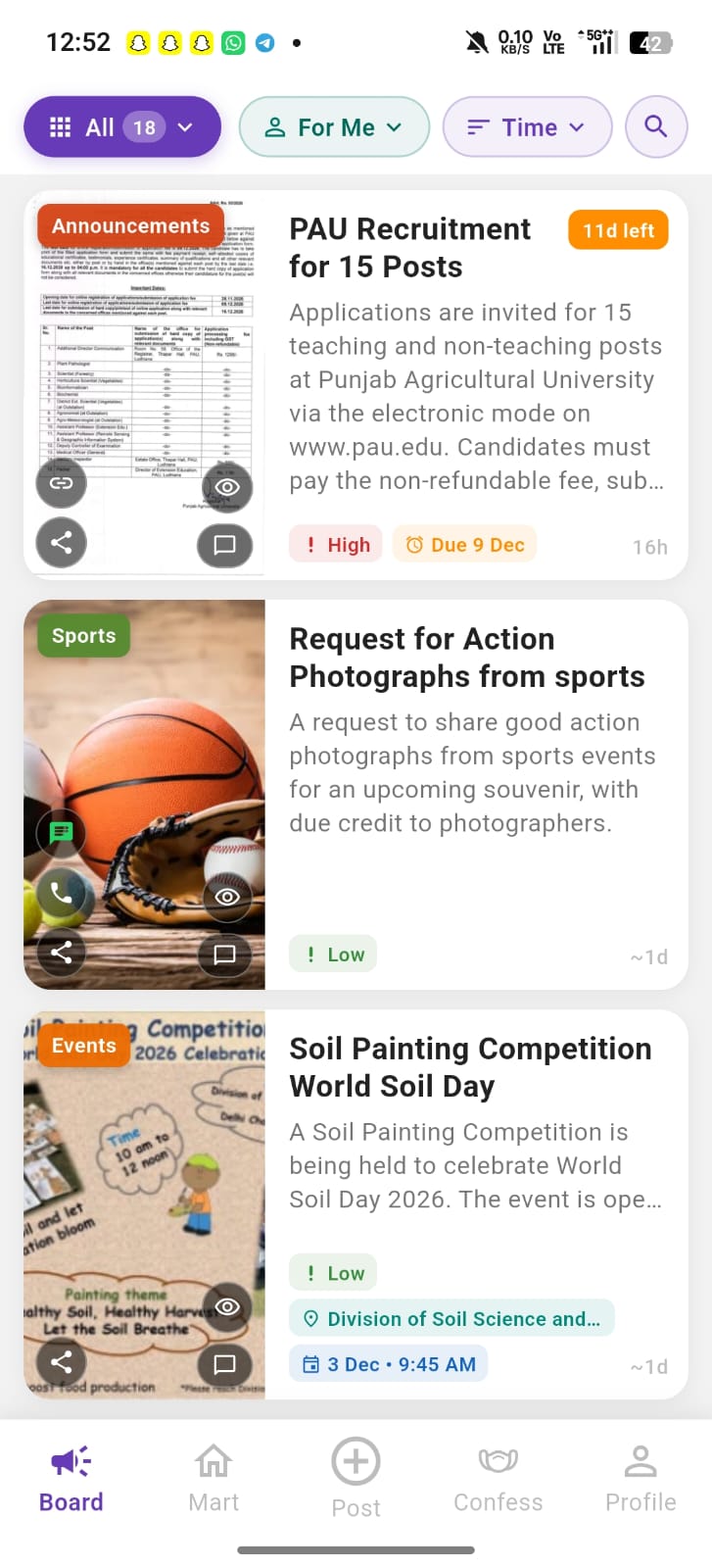
From the notice you almost missed to the connection you didn’t see coming. There’s a place for it here.
Everything happening, without everything getting lost.
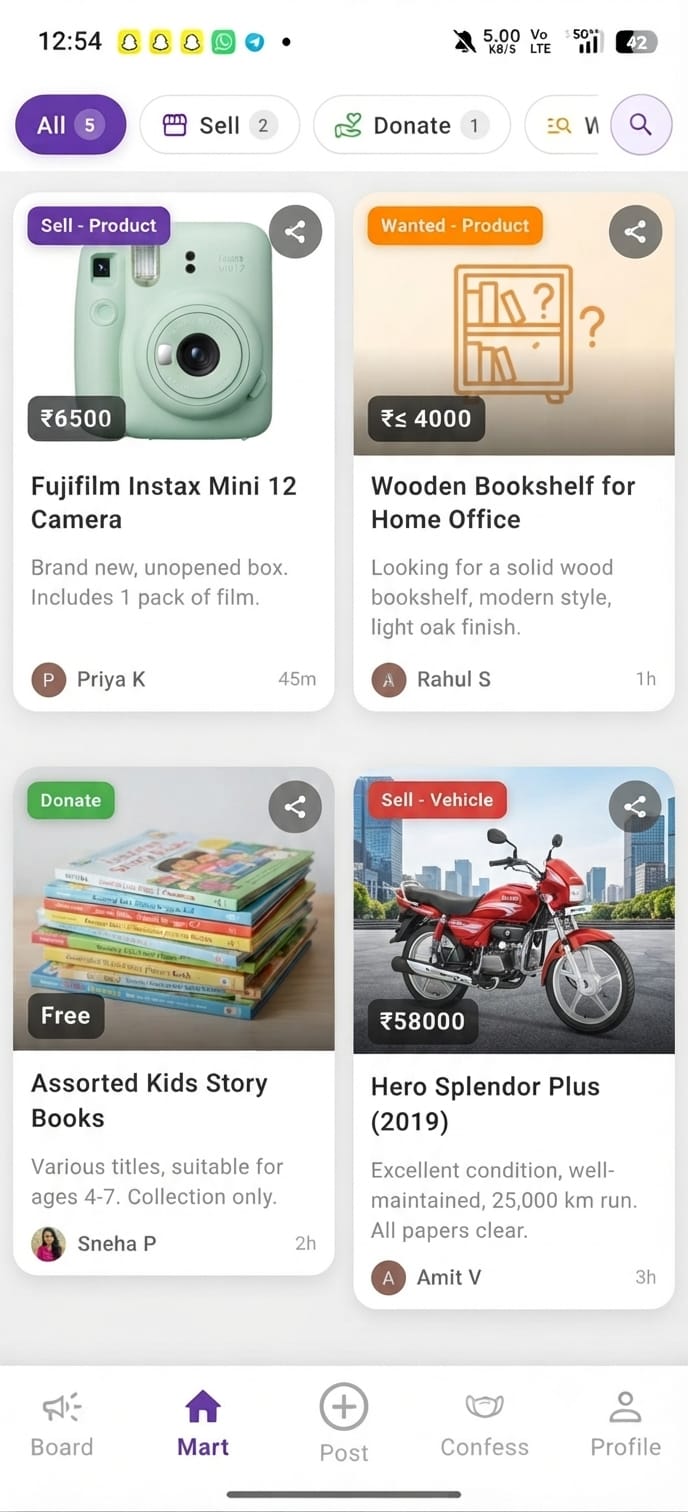
02 / PASS IT ONSell, buy or donate. Good finds, closer to home.
03 / SAY IT HEREBig feelings. Random thoughts. A space to share.
04 / CONNECTCampus connections don’t have to end at a post.
Events, opportunities, exam notices and everyday updates. A proper home for everything worth knowing.
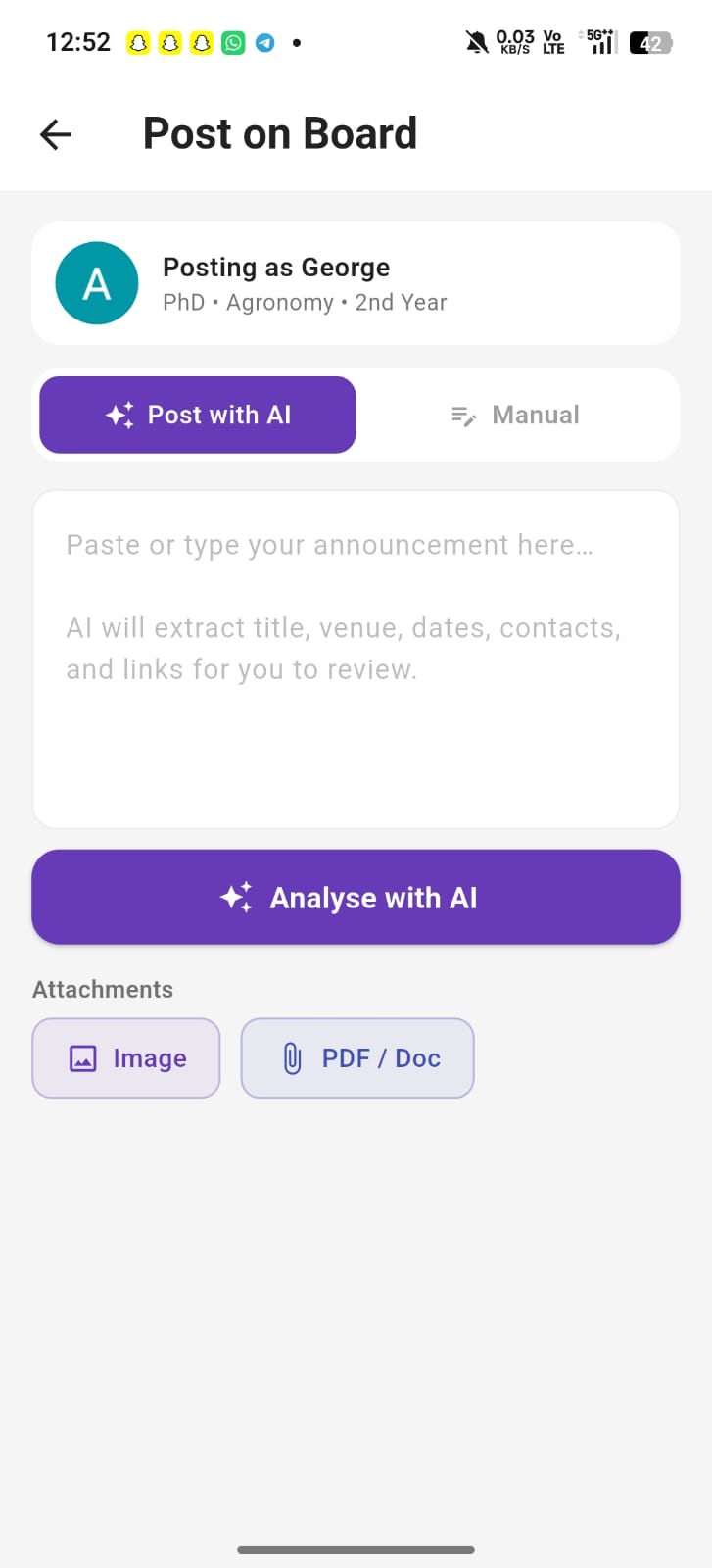
That forwarded WhatsApp announcement? Give it to CampuSova. AI turns the clutter into a post you can actually use.
Join fellow campus photographers for a creative meetup. Bring your camera or phone. Open to all departments.
Illustrative example · Always review AI-generated details before posting.
Give things a second chapter. Find what you need, offer what you do, and connect directly with people on campus.
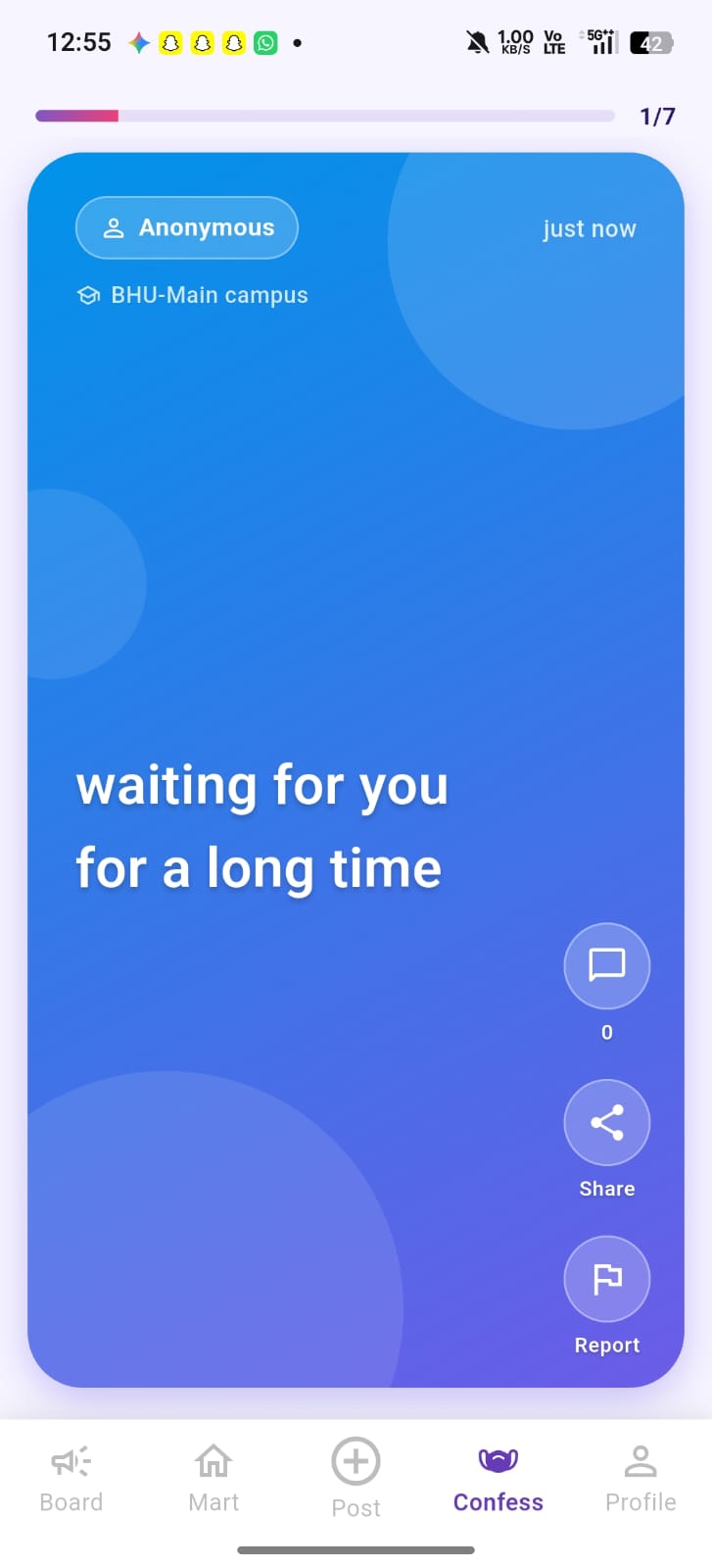
A campus confession. A random question. Something you’ve wanted to say. Share an anonymous post and let the conversation begin.
Not a concept. These are the real CampuSova screens. Pick a feature and take a look around.
ACTUAL APP SCREENS · EXPLORE THE DETAILS
A campus feed built around what matters to you.
Tap screen to view full sizePaste a messy message. Review the details. Make it yours.
 Tap screen to view full size
Sell, buy, donate and connect directly on campus.
Tap screen to view full sizeShare your thoughts without displaying your name.
Tap screen to view full sizeAnonymous comments keep the focus on what you say.
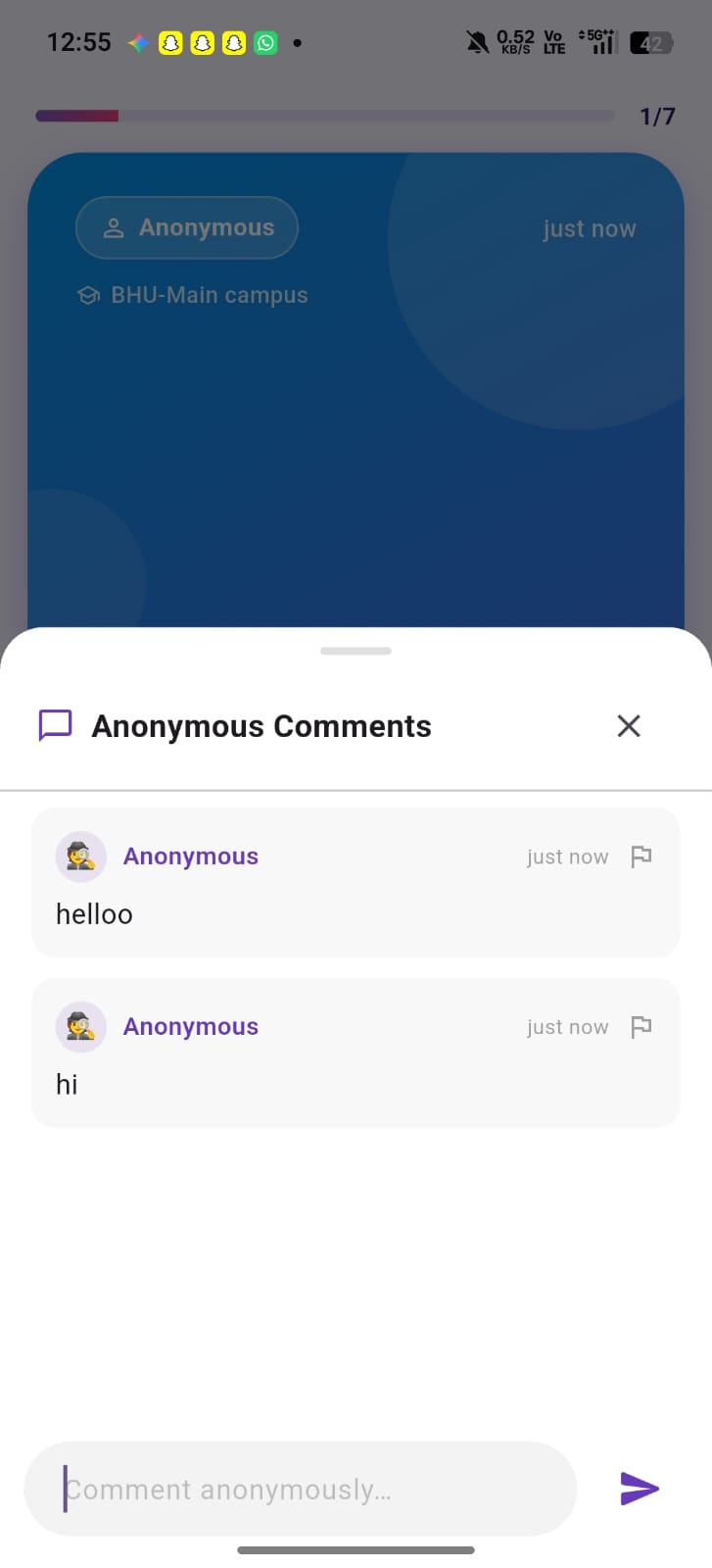 Tap screen to view full size
A dedicated place for campus questions and confessions.
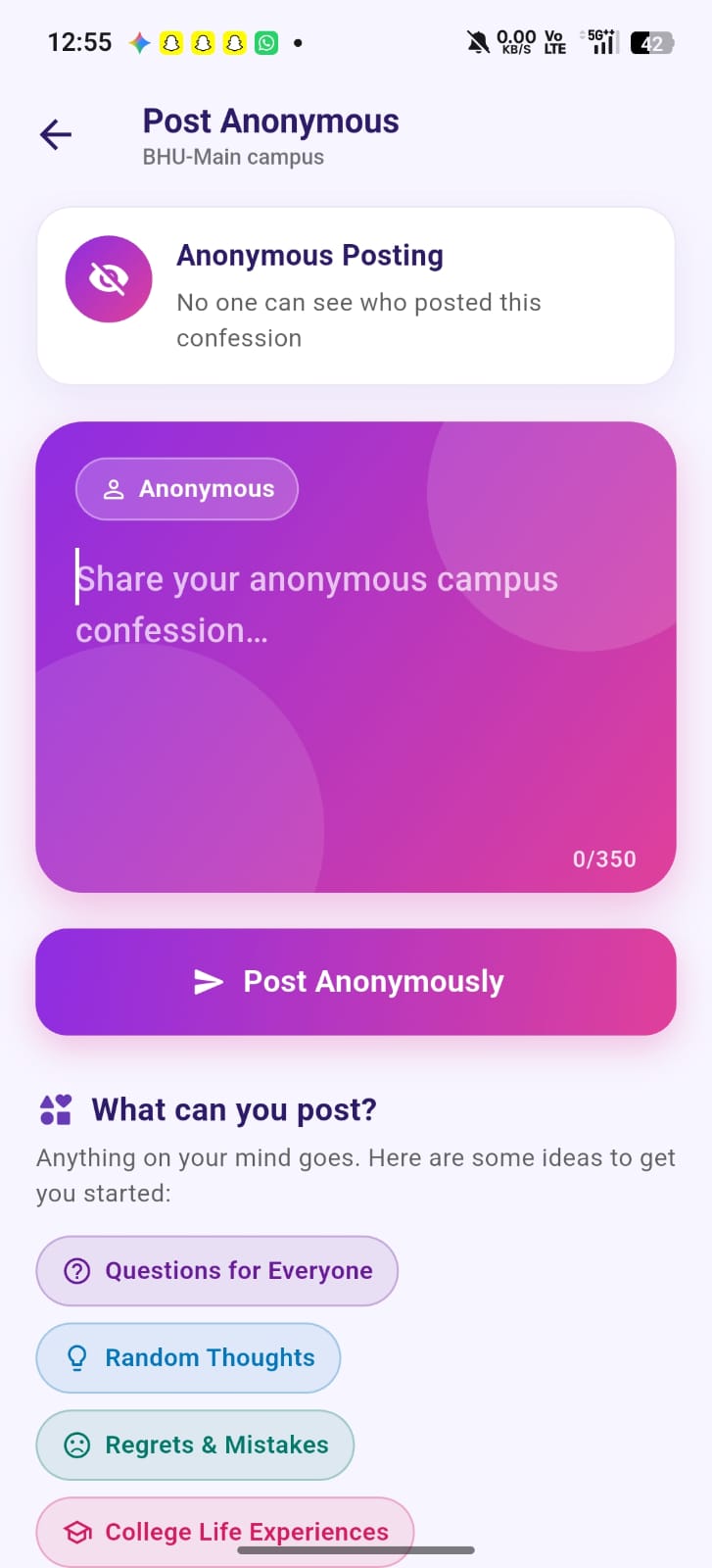 Tap screen to view full size
A clear view of the update and the details behind it.
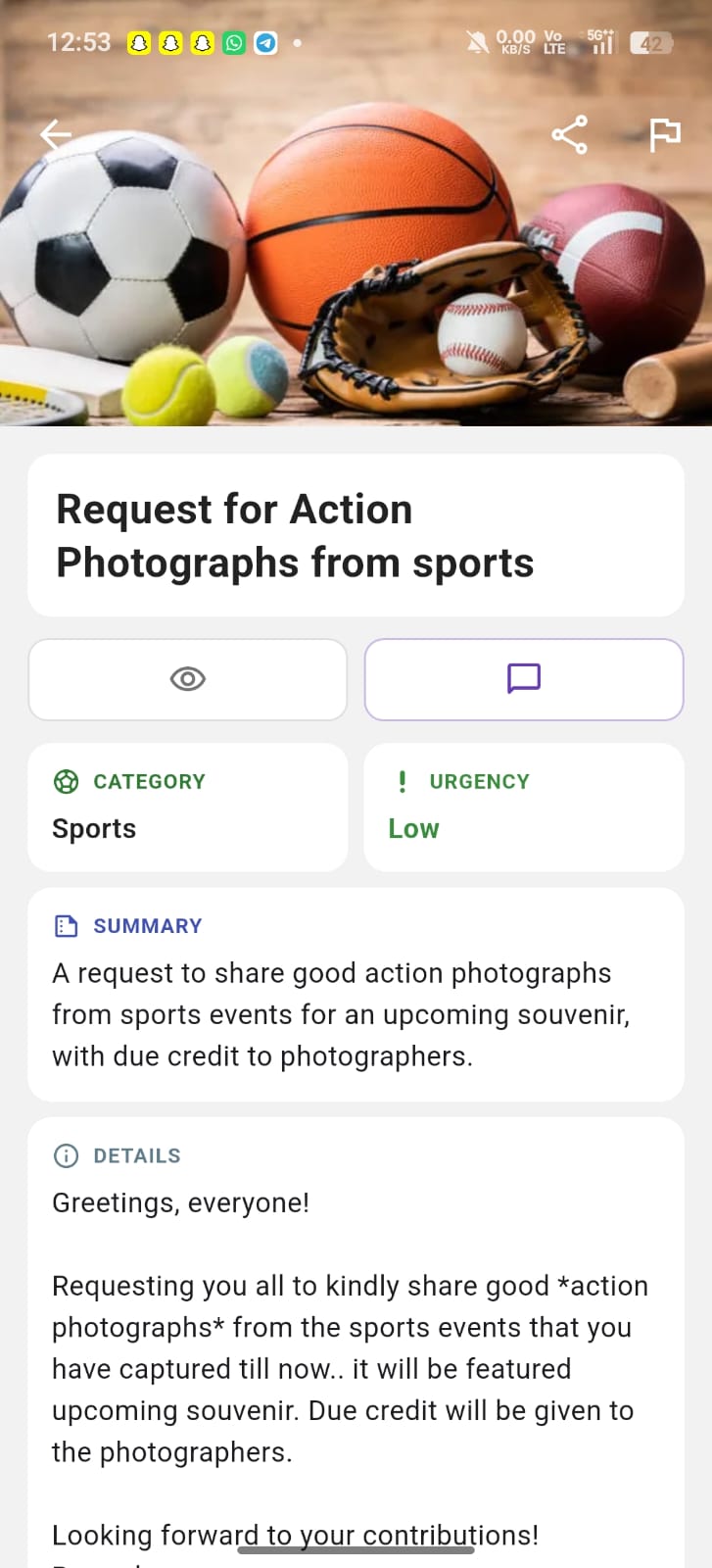 Tap screen to view full size
Built for the people who make campus life happen, and the students who want to be part of it.
Student union admins can edit and delete Board posts, keeping campus information organised and up to date.
You can request to add your campus from the login screen. Your campus community could be next.
Start with CampuSova ↗CampuSova brings campus updates, a student marketplace, anonymous confessions and chat into one app. It’s a place to keep up with your campus and connect with the people in it.
Paste a message or announcement into the AI posting option. CampuSova extracts details such as the title, venue, dates, contacts and links. You can review and edit the result before publishing, and attach images or PDFs.
Yes. Targeted audience options let you select relevant groups, such as a programme level and department, so your post reaches its intended campus audience.
The anonymous posting feature does not display the author’s name on the confession. Anonymous commenting is also available. This describes the visible posting feature, not a guarantee of complete technical anonymity.
Use the campus request option on the login screen to request that your campus be added.
You can download CampuSova from the Google Play Store or access it directly through our web app at app.campusova.in. Both options are available now.
A little more connected. A lot more CampuSova.
Available on Google Play and the web. Your campus, wherever you are.
The conversation can stay anonymous, too.